Limae
A downloadable IDE for macOS
Big tech seems to think that what programmers want the most is swarms of AI Agents doing everything for them.Asking us to "Step away from the keyboard and let us work please".
They forget that this is a passion for us, we love what we do, we love programming, architecting, engineering. And sure, a bit of AI assistance is nice and helps, but within very defined, transparent, and controllable limits.
If you're tired of the direction that AI code editors are taking, you're like me, and you'll love Limae.
💡 Philosophy
Limae was built around a few key principles:
1. AI Support: The AI agent in Limae can only use a few select tools, read files, make edits, search the internet. But what is paramount is what it cannot do: in particular it cannot delete files, or run console commands.
2. Friction: Problem solving is all about bashing your head and learning, Limae will support you through the journey, but it will not replace you.
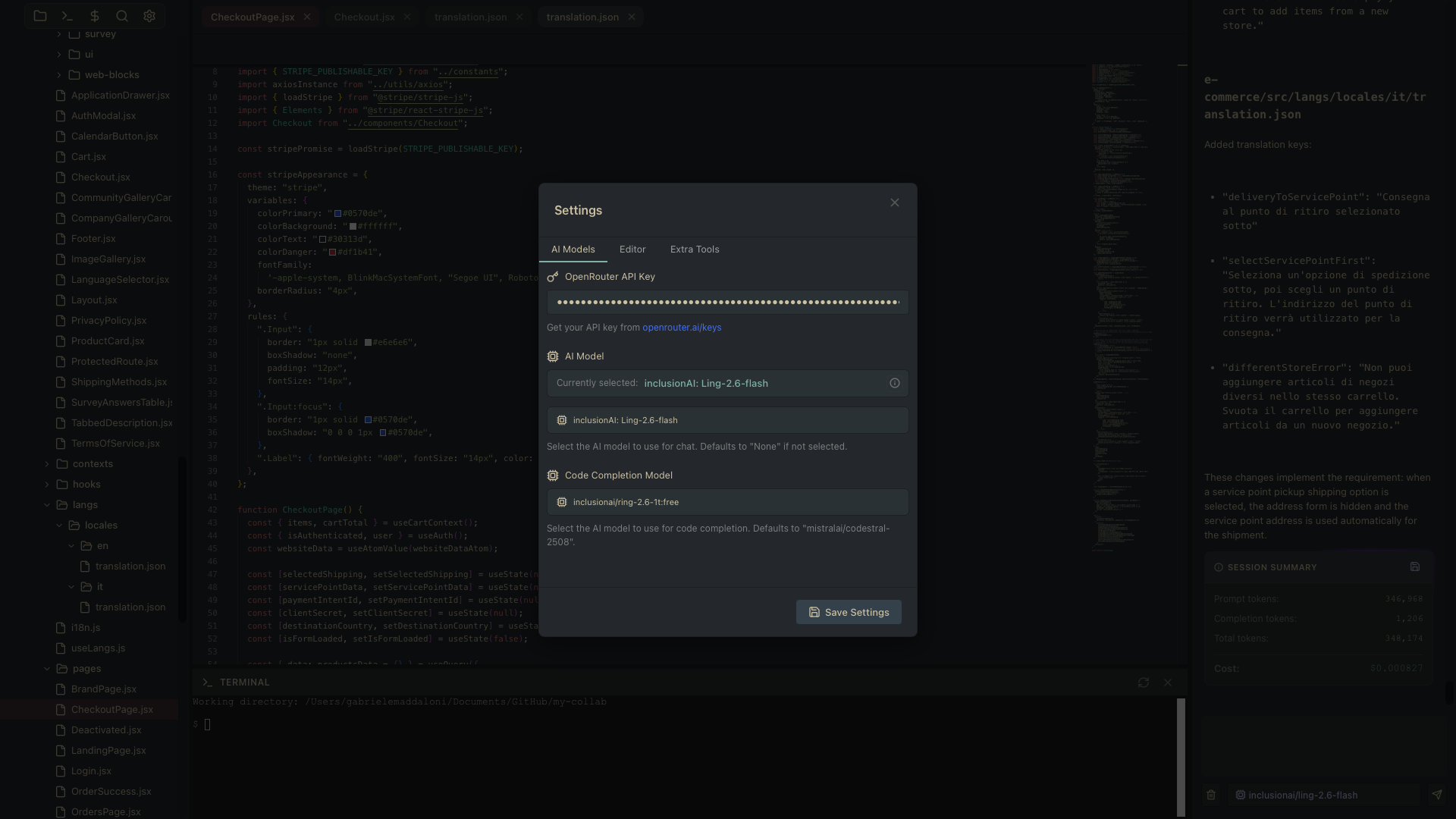
3. Control: You control everything about the AI in Limae. Which model to use for reasoning, which for autocomplete; Whether or not to do web search, whether to save a session or what memories to use, there is no obfuscation at all, it's all yours to see and command.
"The best AI assistant is one that knows it's an assistant, not the architect."
✨ Features
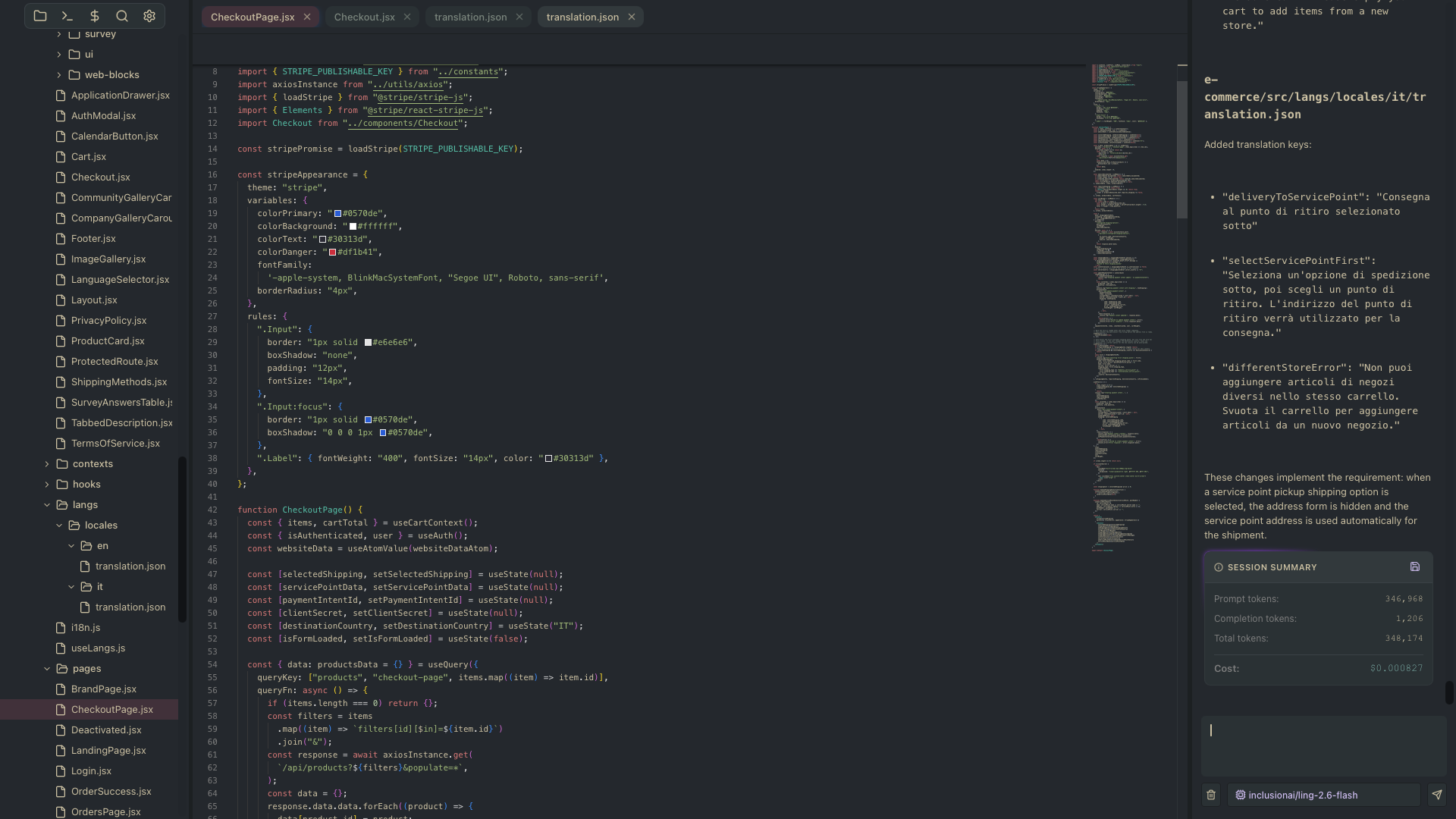
📁 File Explorer
- Context menu (right-click): Copy, Cut, Paste, Rename, New File/Folder, Delete
- Drag-and-drop files and folders
- Dirty file indicators for unsaved changes
- Auto-expand to specific file paths from search or AI references
✍️ Code Editor
- Syntax highlighting for 40+ languages (JavaScript, TypeScript, Python, Rust, Go, Java, C/C++, CSS/SCSS, Markdown, YAML, and many more)
- File tabs with tab bar and quick-switching (`Ctrl+Tab`)
- Fully configurable: font size, tab size, line numbers, word wrap, minimap, diff view
🤖 AI Chat Panel
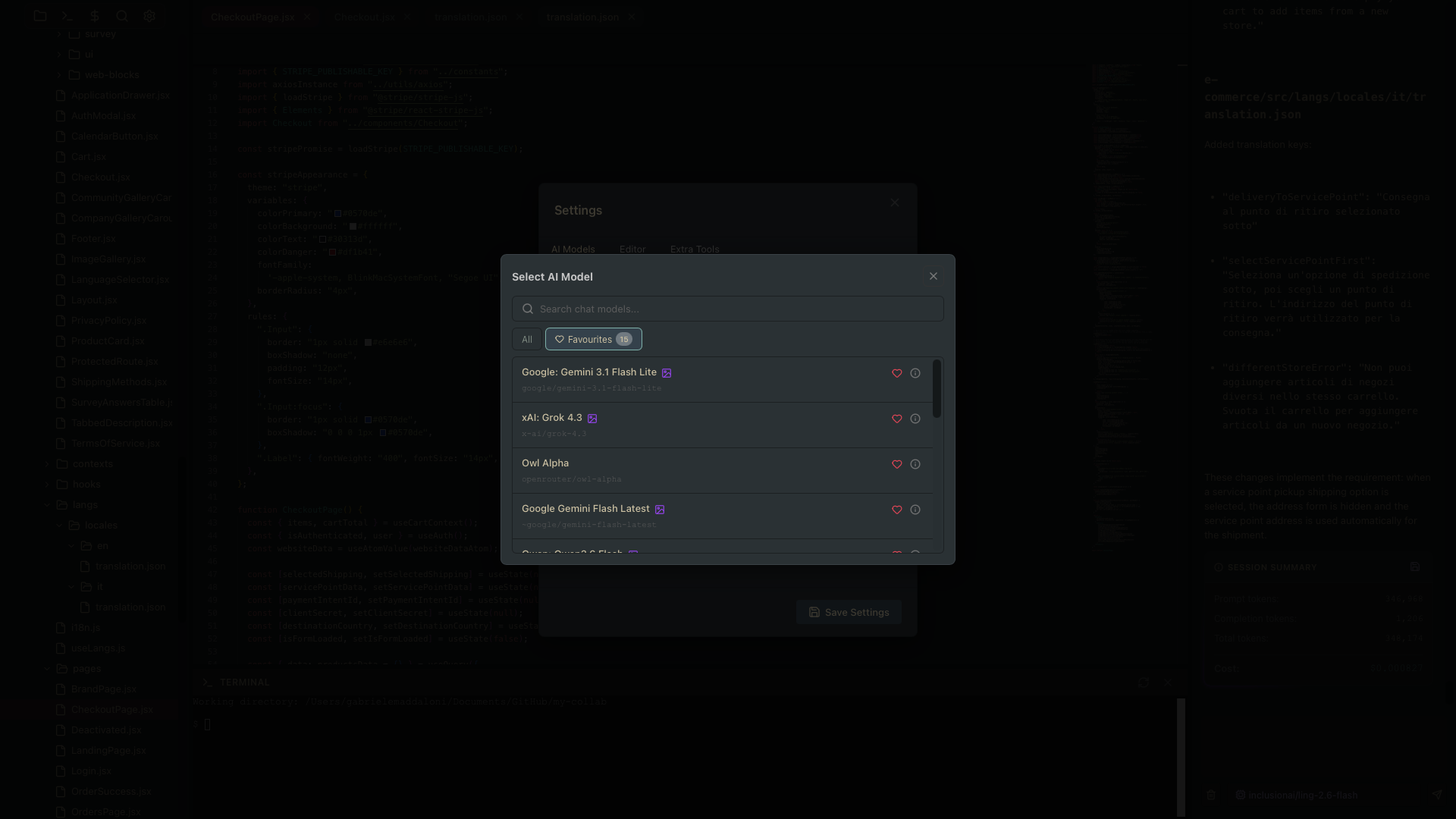
- Chat with any OpenRouter AI model
- File references: Drag files into chat or use `Cmd+L` to reference line ranges
- Image support: Drag-and-drop images for multimodal models
- Ask Question flow: AI pauses and waits for your input when it needs clarification
- Stop Agent button to interrupt at any time
- Session summary with token counts and cost
- Tool call transparency: Every tool call shown as an expandable accordion
- Model picker with search, pricing, and model details, and favourite models list
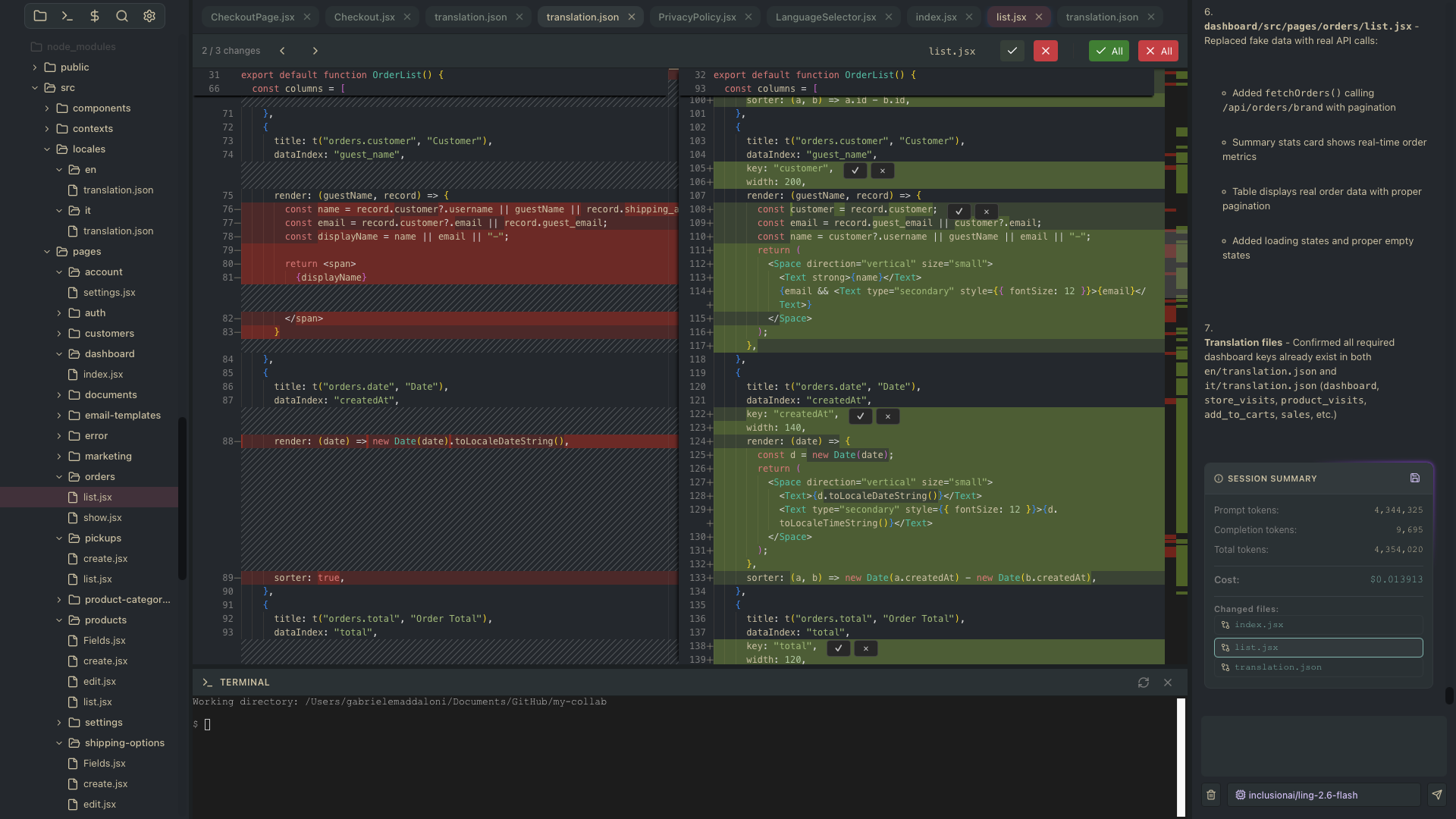
🔄 Diff Review System
- Every AI edit creates a pending change in the toolbar
- Side-by-side diff view using Monaco's DiffEditor
- Navigate, accept, or reject individual changes
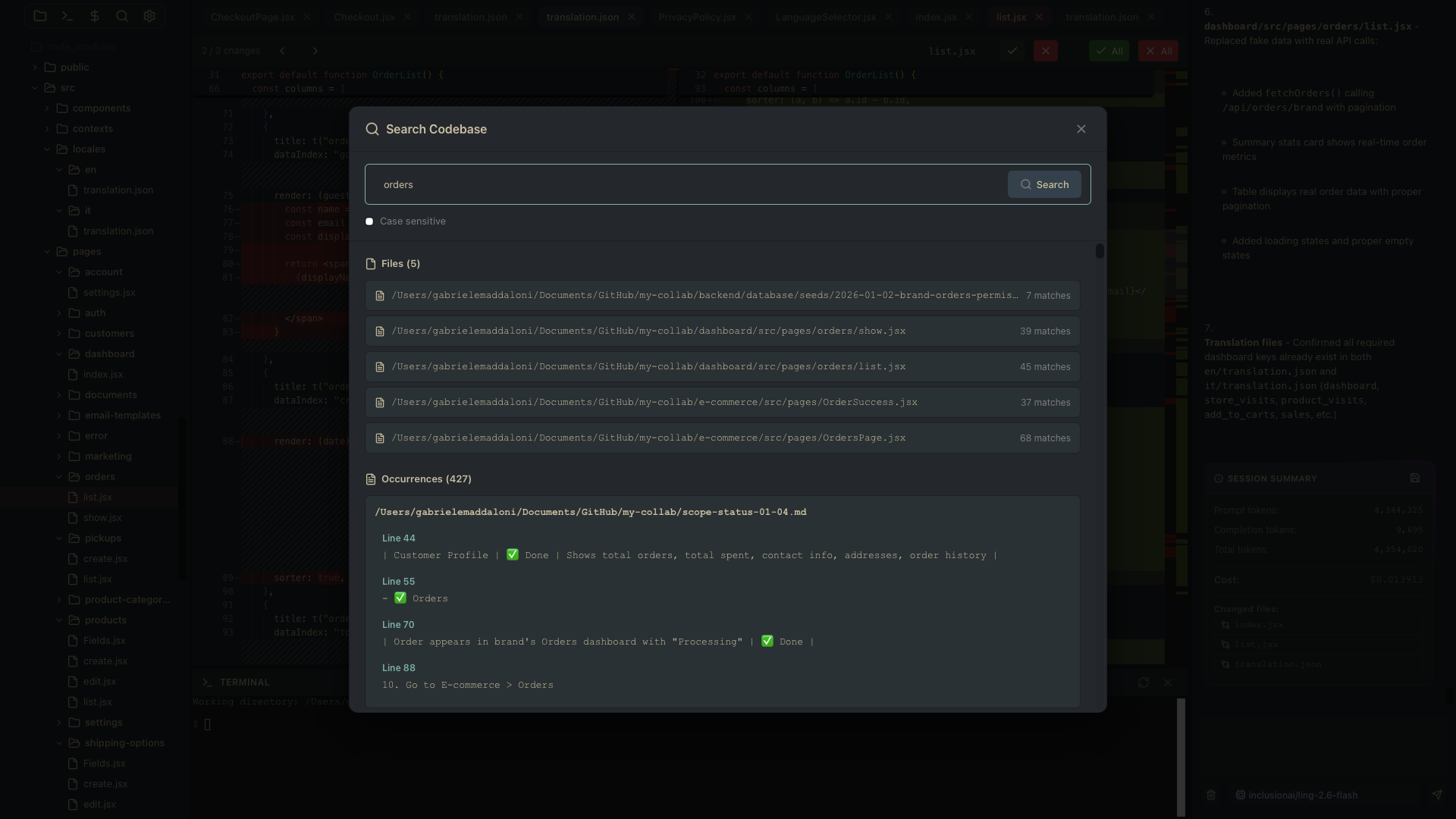
🔍 OmniSearch
- Regex pattern search across the entire project
- Results return both files and occurrences
- Click to navigate directly to matches
🖥️ Integrated Terminal
- Simple xterm terminal emulator with dark theme
- Command execution in the project directory
- Streaming output for long-running commands
- Tab completion
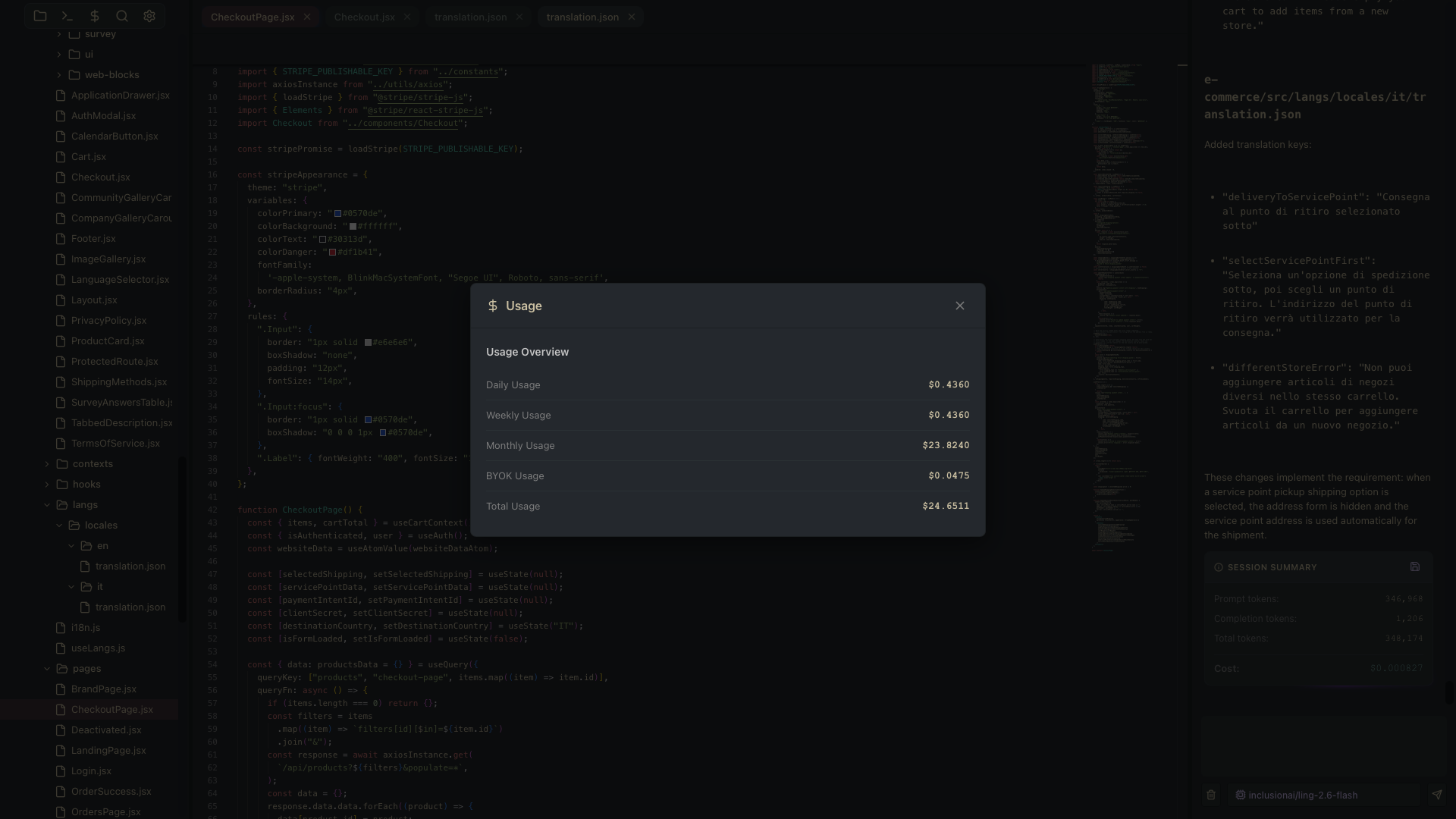
💰 Usage Tracking
- View your OpenRouter API usage directly in the app
- Daily, weekly, monthly, and BYOK usage breakdown
⚙️ Settings
- AI Models: OpenRouter API key, chat model, code completion model, model details
- Editor: Font size, tab size, line numbers, word wrap, minimap, diff view
- Extra Tools: Web Fetch and Web Search toggles
🎮 Keyboard Shortcuts
- Cmd+S -> Save file
- Cmd+W -> Trigger AI code completion
- Tab` (with completion) -> Accept completion suggestion
- Escape ->Close modal or dismiss completion
- Cmd+L -> Send selected lines to AI chat
- Cmd+P -> Open OmniSearch modal
- Ctrl+Tab -> Cycle through open files
Made with ❤️ by Gabriele Maddaloni
| Published | 1 day ago |
| Status | Released |
| Category | Tool |
| Platforms | macOS |
| Author | thaon |
| Tags | code-editor, javascript, programming, source-code, video, website |
| AI Disclosure | AI Assisted, Code |
Purchase
In order to download this IDE you must purchase it at or above the minimum price of £10 GBP. You will get access to the following files:


Leave a comment
Log in with itch.io to leave a comment.